

3 min read

New Web Filter Updates Built to Give Districts More Control and Context

New Web Filter Updates Built to Give Districts More Control and Context
4:14

Students are safer online when the adults around them can see clearly and act precisely. This fall, Web Filter gives districts a clearer view of how students spend their time online, and gives admins finer control over protection so approved lessons stay in view. Keep reading to the end for a first look at something new coming in January: Web Filter Family Portal.

This fall, our product team focused Web Filter updates on a familiar gap. Districts can see what was blocked, but have had less visibility into what students accessed, how long they spent there, and how to keep approved content readable.

These updates focus on three key areas:

1. More precise control over image blurring

2. Fuller context on allowed activity

3. Clear data on time spent online

Let's take a closer look at what's new.

1. More Control Over Image Blurring

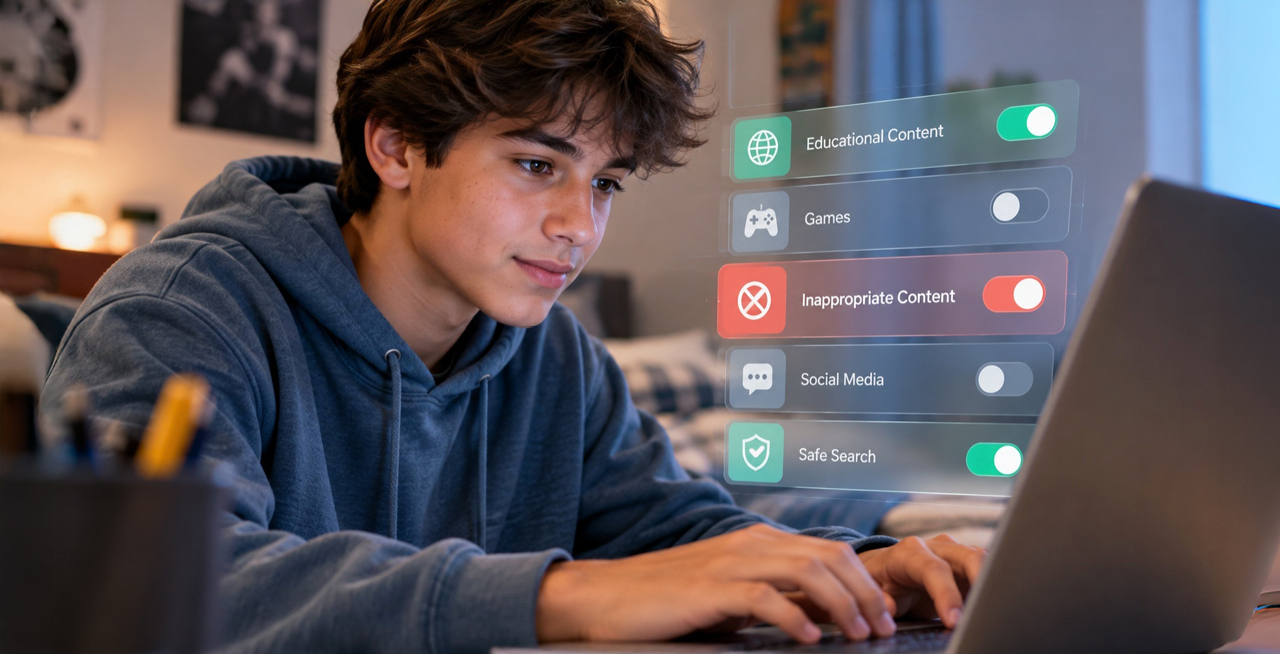
Site-level image blur exclusions keep protection in place while keeping approved content readable. Web Filter blurs potentially explicit images on the sites in your policy, which protects students. It can also catch content your district has already reviewed, such as a diagram in a health class resource, an anatomy illustration in a science curriculum, or a photo on an approved sports team page. Admins can now add reviewed sites or domains to an exclusion list within Web Filter policy settings, and blurring no longer applies to them.

Exclusions affect blurring only. Excluded sites still follow your allow and block policy. You can remove a site at any time to restore standard blurring immediately, and every addition or removal is recorded in the audit log, including who made the change and when.

Note: Automatic image blurring runs on devices with 8GB+ RAM and a 4+ core processor. It is automatically disabled on lower-spec devices, so schools with mixed hardware can enable it without impacting performance on older machines.

web-filter-new-websites2. Fuller Context on Allowed Activity

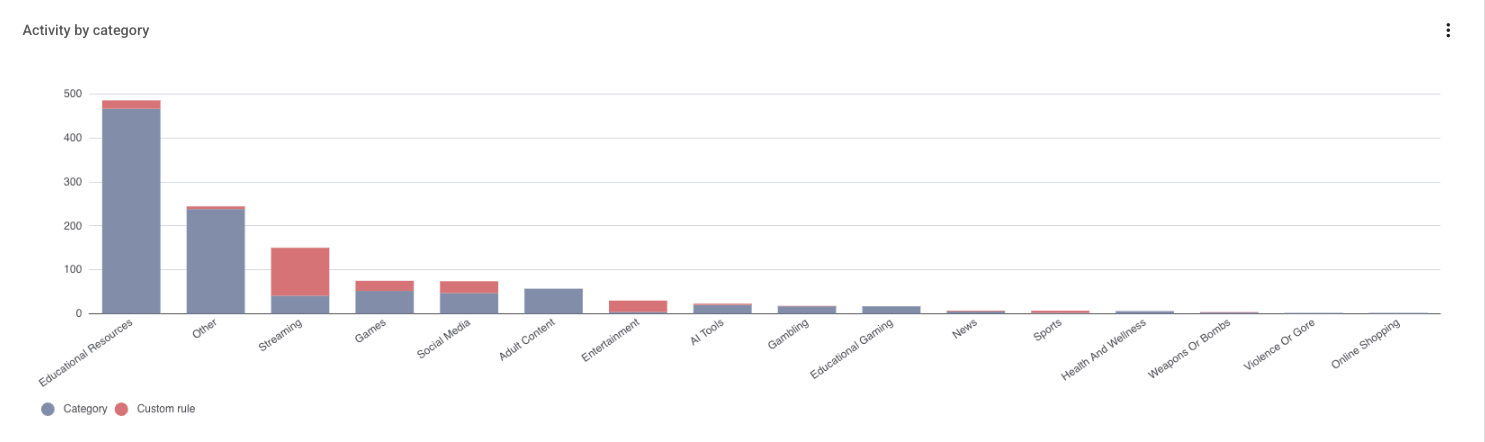
Category labels now appear on allowed sites, not just blocked ones. Until now, allowed activity showed only as Allowed, allowed by category, or allowed by custom rule, so reviewers could see what was stopped but not what was accessed. Every allowed event now shows its category, using the same labels and visual treatment as blocked events, with a plain-language description on hover or tap. When a category isn't available, the event is labeled "Uncategorized."

WF-Category-Labels

Category context follows the data wherever admins work. Category filters and sorts now apply to allowed and blocked events alike, aggregate views show top categories across both in one place, the Student Profile includes allowed and blocked categories, and exported activity reports include a category column. Admins can spot patterns, such as heavy use of allowed AI sites, and confirm that browsing lines up with expected academic use.

3. Clear Data on Time Spent Online

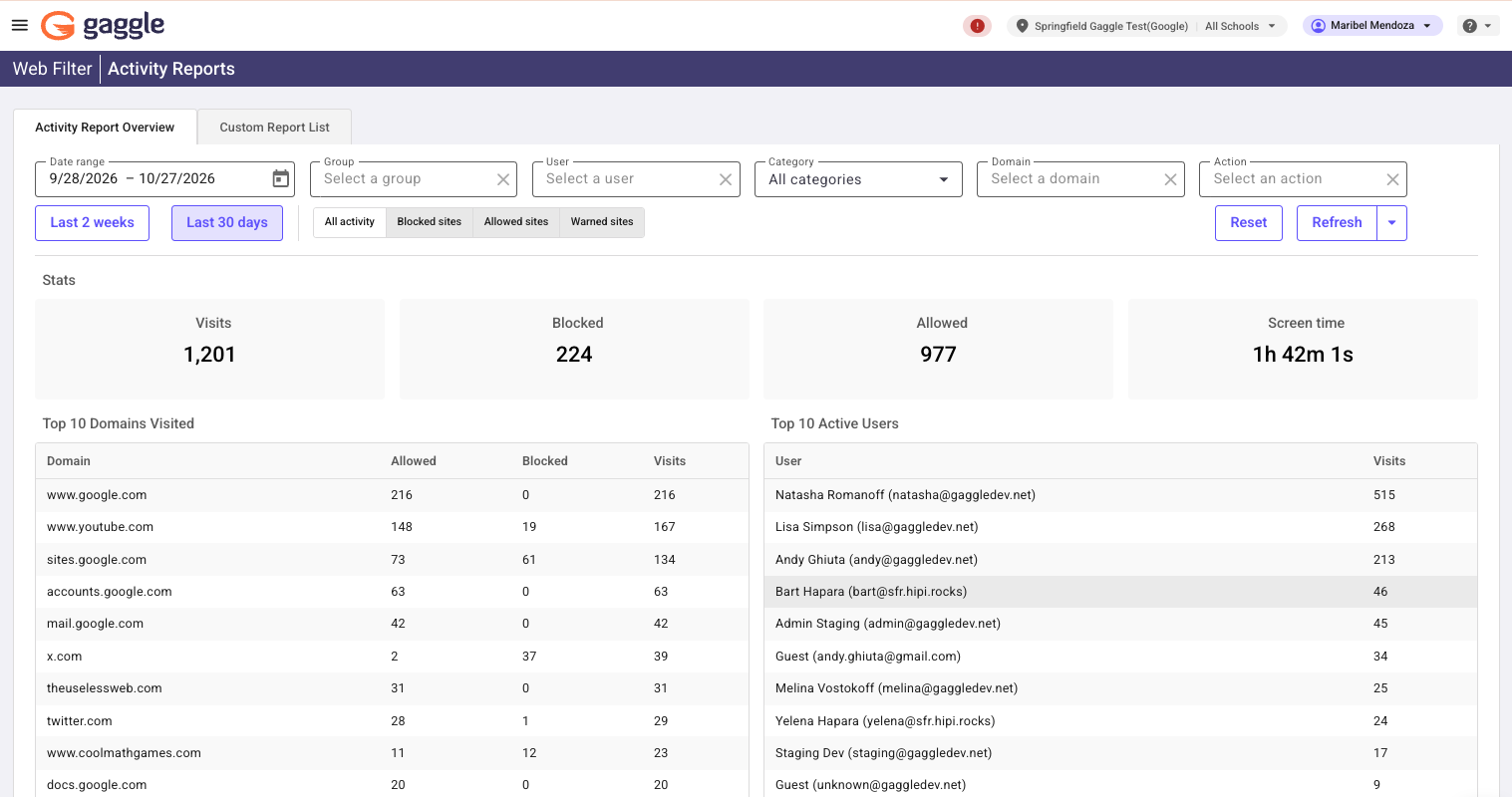
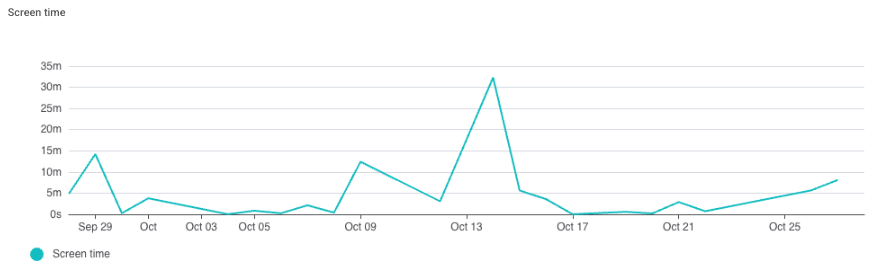
Screen Time Metrics show how long students spend on specific websites and categories. Access data can't tell a 30-second lookup from a two-hour session. Screen Time Metrics add time-on-site to Web Filter reporting, so admins can tell high-frequency, low-duration sites from low-frequency, high-duration ones, using the same date range and filters already on the page.

WF-Activity-Reports-Screen-Time

Usage data supports the questions districts are being asked. Boards, families, and state legislatures increasingly want to know how much time students spend on YouTube or social media. Admins can now quantify time by site and category, including YouTube video views, and use it to inform policy, resourcing, and digital wellness decisions. Screen time reporting lives alongside the reports your team already uses in the Gaggle portal.

WF-Timeline-Screen-Time-Zoomed-In

Continuing to Support Districts
handshake 1

Every update in this release is guided by the same goal: give districts protection they can tailor, context they can act on, and data they can stand behind. By adding control over blurring, category context on allowed activity, and screen time metrics, we're helping district teams move faster without giving up oversight.

Log in to the Gaggle portal to explore the new features, or reach out to your Gaggle representative to see how they can support your district's policies. 

Coming in January: Web Filter Family Portal

Web Filter already protects students on school-issued devices after the school day ends. Until now, though, families haven’t been able to see that protection or take part in it. In January, we’re releasing Web Filter Family Portal, which gives parents and guardians a self-service view into their student’s browser activity. Families will see top sites visited, top sites blocked, and categories of activity. Outside school hours, they can also add their own protections, such as blocking a specific site or blocking all internet access on the device.

Family controls can only add restrictions. Families can strengthen filtering but never loosen district policy, and district rules apply automatically during school hours. Districts set up and manage family accounts directly in the Gaggle portal, with no support ticket required. An audit log records who changed what and when.

Interested in learning more? Add your email here, and we’ll share additional information about including families in your digital safety efforts.


The Importance of Accurate and Actionable Alerts in Student Safety

The Importance of Accurate and Actionable Alerts in Student Safety

Discover how Gaggle's precise alert system helps schools intervene swiftly and effectively, safeguarding students' mental health and well-being.
Read More
Unlocking Student Safety: Why Human Review Matters in Content Monitoring

Unlocking Student Safety: Why Human Review Matters in Content Monitoring

Discover why combining AI with human review is crucial for effectively monitoring student safety and preventing crises in today's digital learning...

Read More
Choosing a School Safety Net

Choosing a School Safety Net

Discover how K-12 districts can enhance student safety through comprehensive monitoring, contextual analysis, and human evaluation for effective...

Read More